
ABC Games: Tracing & phonics
Piggy Panda IncEducational
4.417.00 Reviews
- Version
- 3.1
- Installs
- 5.00M
- Age Rating
- Everyone
Screenshots
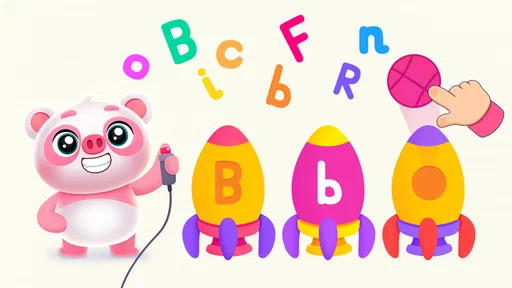
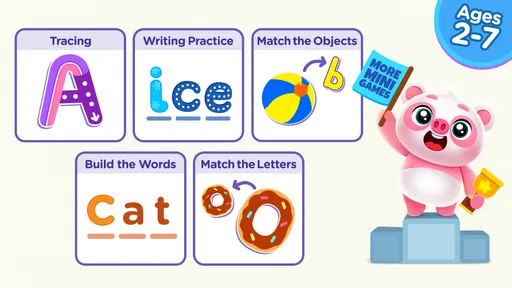
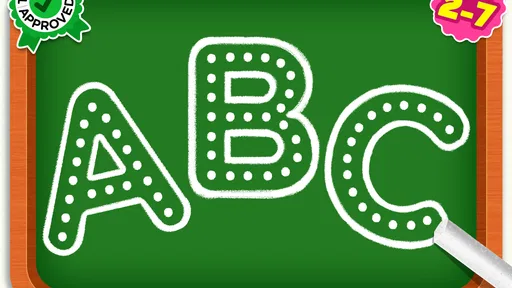
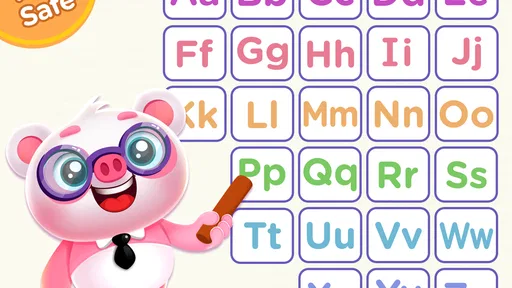
Our Review of ABC Games: Tracing & phonics
 Analysis by Appyee
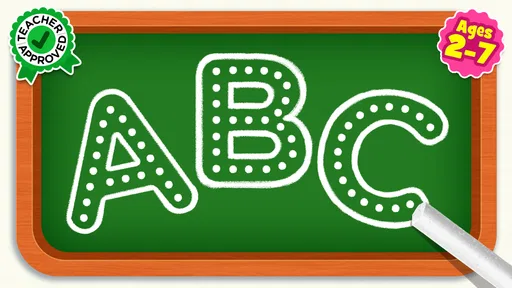
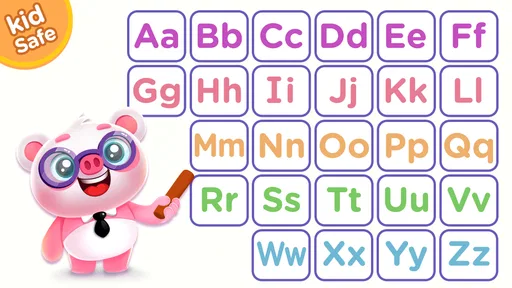
Learning letters can easily turn into a tug-of-war when a child is tired, distracted, or simply not ready for a worksheet. I found ABC Games: Tracing & phonics most useful in those small moments when a toddler or preschooler needs a short, guided activity rather than a full lesson. It combines letter tracing, sound practice, and early spelling in a bright educational game made by Piggy Panda Inc. My overall impression is that it works best as a calm practice tool alongside adult interaction, not as a replacement for reading together or hands-on writing.
The game is free to start and carries an Everyone age rating, which makes it approachable for families with young children. It runs on Android devices using version 7.0 or later, and the current version is 3.1. The app has reached over five million installs and holds a 4.4 average from around 3.6 thousand ratings, so it is clearly being used by a substantial audience. Those figures do not tell me whether every child will enjoy it, but they do match my experience of a polished, accessible early-learning app rather than a rough collection of mini-games.
How I would use it in a normal learning routine
I would begin with a child sitting beside me, not alone with the phone. The first session should be about discovering the rhythm of the activities: look at the letter, listen to its sound, trace it, and then try a related phonics or spelling task. That order matters because it connects the visual shape of a letter with the movement needed to write it and the sound it represents. If a child rushes through the tracing, I would slow the session down and ask what sound the letter makes before moving on.
For a toddler, a few minutes is enough. The goal is not to complete every available activity in one sitting, but to finish while the child is still interested. With a preschooler who already recognizes several letters, I would use the tracing as a warm-up and spend more time asking the child to say the sound independently. Kindergarten-age children can get more from the spelling practice because they are ready to connect individual sounds into simple written words, although the adult still needs to judge whether the pace is suitable.
A realistic everyday use case is a short session after breakfast while a parent prepares for the day. I would choose one or two letters related to something the child can see, such as a toy, food, or family member’s name, then pause the game and find that letter in a book or on a label. This turns screen practice into a bridge to the real world. Without that follow-up, tracing can become a finger movement that the child performs correctly on screen but does not recognize on paper.
One useful habit is to keep the same device position and use a clean, uncluttered surface. Small children often drag with their whole hand or tap repeatedly, so a stable setup makes it easier to see whether they are following the intended path. I also prefer letting the child hold the device in a natural position rather than correcting every movement. Early confidence is valuable, and perfection is less important than understanding what the letter is called and how it sounds.
The app is particularly convenient for parents who want a ready-made activity without gathering flashcards, pencils, and worksheets. It also suits grandparents, babysitters, and early-years teachers who need a quick practice option. However, I would skip it as the main learning method for a child who strongly dislikes touchscreens, becomes overstimulated by animated activities, or needs a slower, multisensory approach. In those cases, magnetic letters, paper, sand trays, or direct conversation may be more effective.
What the three learning areas contribute
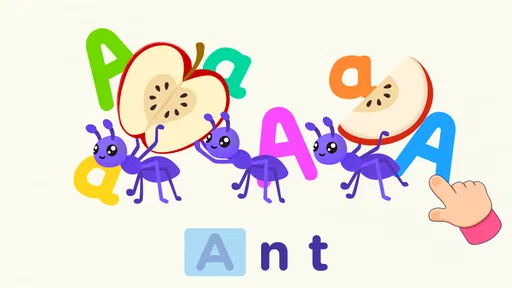
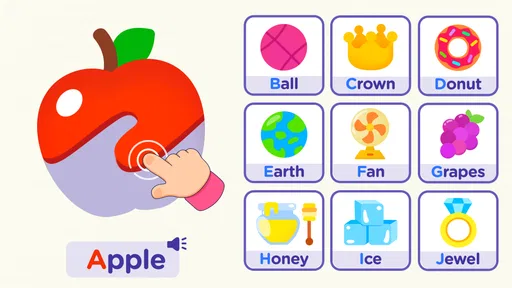
Tracing gives the child a visual route to follow and introduces the basic direction of letter formation. Phonics adds the sound connection, which is more important than simply memorizing the alphabet order. Spelling asks for a larger step: the child must relate sounds and letters in sequence. I like that these areas belong in the same app because a parent can move between recognition and practice without switching to a separate tool.
That combination also reveals an important limitation. A child may succeed at tracing because the path provides strong guidance, then struggle when asked to identify the same letter without that support. I would treat successful tracing as evidence of growing familiarity, not proof of mastery. After each short activity, I would show the child the letter in a printed book or ask them to find it among a few handwritten examples. This simple check prevents the game from creating a false sense of progress.
Settings and preparation worth checking
Before handing over the device, I would inspect the app’s available settings and the device itself rather than assuming the default setup is ideal. The most important practical checks are sound level, screen brightness, orientation, and whether notifications might interrupt the activity. These are not learning features, but they directly affect whether a young child can focus on the letter and hear the phonics clearly.
Sound deserves special attention. If the volume is too low, the child may copy the visual action without noticing the letter sound. If it is too loud, the experience can feel tiring and may encourage frantic tapping. I prefer a comfortable level that lets the child repeat the sound aloud. If the room is noisy, I would move somewhere quieter instead of raising the volume excessively.
I would also check how the app handles progression before starting a session. Some children enjoy repeating familiar letters, while others become frustrated if they are pushed ahead too quickly. When the interface allows a choice, I would revisit a recently practiced letter before introducing several new ones. Repetition is especially helpful for letters that look similar or produce sounds the child often confuses.
In-app purchases range from $1.49 to $59.99 per item, so I would set up purchase controls before letting a child explore independently. The free entry point is useful for testing whether the teaching style suits the family, but the presence of optional purchases means the adult should remain responsible for the device. I would never rely on a child to understand which screen is part of learning and which screen may lead toward a purchase.
A practical preparation step is to decide what “done” means before opening the game. For one child, that might be tracing one letter and saying its sound three times. For another, it might be completing a short spelling activity without help. Having a clear stopping point prevents the session from becoming an endless request for “one more game,” and it makes the activity easier to repeat consistently on another day.
Faster patterns that improve practice
Experienced use is less about moving quickly through the app and more about reducing wasted attention. I would keep sessions focused on one learning target: letter shape, letter sound, or early spelling. Trying to correct all three at once can make a child feel that every tap is being judged. A better pattern is to let the game handle the activity, then use one simple question afterward, such as “What sound did we hear?”
Another effective pattern is alternating familiar and unfamiliar material. Start with a letter the child knows, introduce one that needs work, and finish with the familiar letter again. This gives the child an easy success at the beginning and end while preserving a small challenge in the middle. It also helps an adult notice whether the difficulty comes from recognizing the letter, tracing its shape, or remembering its sound.
I would use the spelling section selectively rather than treating it as the automatic next step after every tracing task. Spelling is most useful when the child can already identify several relevant sounds. If the child is guessing randomly, return to speaking and listening first. The app can provide practice, but it cannot decide whether a wrong answer came from confusion, tiredness, a touch mistake, or a genuine gap in understanding.
A helpful routine is to repeat the same target across different contexts. After tracing a letter in the app, ask the child to point to it in a storybook, say a word that begins with it, and make a rough version on paper. This takes only a minute or two, yet it tests transfer. The non-obvious benefit is that it shows whether the child is learning the letter itself or merely memorizing the app’s screen layout and movement pattern.
I would also avoid correcting the child immediately every time. If the app marks an attempt as incorrect, pause and let the child try to explain what happened. Sometimes the problem is a rushed swipe rather than a misunderstanding. Asking the child to try again more slowly teaches control and self-monitoring. If the same mistake appears repeatedly, I would stop the game and switch to a physical example instead of turning the session into a contest.
Where the app reaches its limits
The largest limitation is the gap between guided touch tracing and independent handwriting. A screen can show where to move, but it does not provide the same resistance as paper or a pencil. Children also need practice starting letters in the correct place, controlling pressure, and forming them at different sizes. I would therefore pair this game with crayons, chunky pencils, or finger writing on a textured surface.
Phonics also needs adult support. Hearing a sound inside an app is helpful, but early reading involves blending sounds, noticing sounds at the beginning and end of words, and understanding that one letter can behave differently in different words. A child who enjoys the sound activities may still need a parent or teacher to model slow blending. This is where a book, conversation, or structured classroom lesson can do more than the game.
The app is not the best choice for every age within its broad audience. A toddler may enjoy the colors and movement but have limited control over tracing. A kindergarten child who already reads simple words may find the earliest activities too easy. The sweet spot is a child beginning to recognize letters and sounds, with enough motor control to follow a guided path but still needing frequent repetition.
It is also not ideal for families seeking a completely hands-off educational experience. The game can occupy a child for a short period, but its strongest value comes when an adult listens, repeats sounds, and connects the on-screen letter to real print. If the priority is independent quiet time with no supervision, a story app or carefully chosen video may be less demanding, though those alternatives usually offer less direct tracing practice.
Compared with paper worksheets, ABC Games: Tracing & phonics is more inviting for children who resist writing and gives immediate interaction during practice. Worksheets are better for building pencil control and showing what a child can write without visual guidance. Compared with alphabet videos, this game asks the child to respond rather than only watch, but videos may offer richer songs, stories, and pronunciation models. Compared with flashcards, it provides more movement and structured repetition, while flashcards make it easier for an adult to adapt the lesson instantly.
That comparison leads to a sensible division of labor. Use the app when you want a guided starting point, use books and conversation to build meaning, and use paper or other tactile materials for handwriting. No single format covers all of early literacy well. The game earns its place when it fills the guided-practice gap without pretending to be the whole curriculum.
Who should install it and who should pass
I would recommend it to parents of toddlers, preschoolers, and early kindergarten learners who want a simple way to practice letter shapes, sounds, and beginning spelling. It is especially suitable for a child who likes tapping and tracing but needs help turning that interest into a repeatable learning routine. The free starting point also makes it reasonable to try before deciding whether the available activities fit the child.
I would be more cautious if the child has difficulty with fine-motor control, hearing the audio clearly, or staying focused on a bright touchscreen. In that situation, an adult may need to shorten the sessions, repeat instructions, or choose physical materials first. I would also pass on it as the sole tool for a child who is already reading confidently, because the introductory focus may not provide enough challenge.
For families concerned about spending, the purchase range deserves attention before regular use. The app is free, but optional items can cost from $1.49 up to $59.99 each. I would explore the free portion with the child, decide whether it genuinely helps, and only then consider any purchase. That approach keeps the decision based on learning value rather than a child’s excitement at a particular moment.
My verdict after building a repeatable habit
ABC Games: Tracing & phonics is a useful early-literacy companion when it is used in short, supervised bursts. Its best idea is the connection between tracing, sounds, and simple spelling: the child is not only looking at an alphabet screen but practicing several steps that lead toward reading and writing. I also appreciate that it can fit into ordinary family life, whether that means a brief morning activity, a quiet practice period before dinner, or a quick review while traveling.
My recommendation comes with a clear condition: follow screen practice with something real. Ask the child to find the letter in a book, say a word, or make a mark on paper. That one habit exposes the app’s limits while making its strengths more useful. It turns a guided digital exercise into a small lesson that transfers beyond the device.
With that approach, the game is a good free entry point for families looking for interactive alphabet practice. It is not a complete reading course, and children who need tactile learning or more advanced phonics may do better with another option. For the intended early-learning stage, though, I think Piggy Panda Inc has created a friendly tool that rewards consistency more than long sessions. The strongest results come from using it as a starting point, then carrying each letter into books, speech, and handwriting.
Verdict
Strengths of ABC Games: Tracing & phonics
- Fun tracing activities help children practice letter formation.
- Phonics exercises connect letters with their sounds.
- Bright visuals and simple controls suit early learners.
- Short activities make it easy to fit into daily practice.
- Useful for building confidence before formal reading lessons.
Limitations of ABC Games: Tracing & phonics
- Some activities may become repetitive after extended use.
- Progress tracking may be limited for parents and teachers.
- Younger children may need help navigating between activities.
- The learning content may not cover every phonics method.
- Ads or locked features may interrupt access in the free version.
Other Releases by Piggy Panda Inc
View All
Car Makeover: ASMR Games
Role Playing4.3

Cake Maker: Kids Cooking Games
Role Playing4.3

Kids Coloring Pages For Boys
Educational4.6

Pizza Maker Kids Cooking Games
Role Playing4.6
Similar Picks in This Category
View All
Little Panda Policeman
BabyBus4.0

Monster Trucks Game for Kids 2
Raz Games4.1

Little Panda's Chinese Recipes
BabyBus4.4

Little Panda's Restaurant
BabyBus4.4

Little Panda's Ice Cream Games
BabyBus4.3

Baby Panda Care
BabyBus3.8
Frequently Asked Questions
What is ABC Games: Tracing & Phonics?
ABC Games: Tracing & Phonics is an early-learning app designed to help young children become familiar with the alphabet, letter sounds, and simple phonics concepts. It generally combines guided letter tracing with colorful visuals, spoken pronunciation, and interactive mini-games. The activities are intended for preschool and kindergarten learners who are beginning to recognize letters and connect them with their sounds.
What can children learn with ABC Games: Tracing & Phonics?
The app focuses on foundational literacy skills rather than advanced reading. Children can practice identifying uppercase and lowercase letters, following the correct path when tracing, listening to letter pronunciations, and associating sounds with familiar words or pictures. Repeated practice may also support hand-eye coordination and early writing confidence, although adult guidance is still useful for correcting grip and tracing technique.
Is ABC Games: Tracing & Phonics suitable for preschool children?
Yes, the app is primarily aimed at preschool and early kindergarten children who are learning the alphabet for the first time. Its short activities and visual feedback can make practice feel more like play than formal study. However, children develop at different speeds, so parents should check whether the instructions, pace, and difficulty are appropriate. Younger users may need help navigating menus or understanding phonics exercises.
Does ABC Games: Tracing & Phonics work without an internet connection?
Some learning activities may be available offline after the app has been installed, but offline access can depend on the version, device, and whether additional content needs to be downloaded. It is best to open the app once while connected to the internet and test the lessons before using it during travel or away from Wi-Fi. Parents should also review update and advertising behavior in the app settings.
Is ABC Games: Tracing & Phonics free and safe for children?
The app may be free to download, but availability of advertisements, optional purchases, or locked lessons can vary by platform and region. Before handing over the device, parents should review the store listing, privacy information, and in-app purchase settings. A child-friendly learning app should still be used with reasonable supervision, especially if it includes external links, ads, voice features, or purchase prompts.
Play our best games!


